
Introducing community apps for the Aridhia DRE
We're introducing community apps for the Aridhia DRE. A community app is a piece of software that has been packaged to run inside an Aridhia workspace and shared for other platform users to deploy. Some are well-known open source tools adapted to run well in the DRE. Others are written by contributors at Aridhia, and in time we hope many will be written by the wider community of users across the platform.
The aim is to build a collaborative science community around the DRE, and a shared library of tools that comes with it. In ten years of running the DRE across hundreds of projects in paediatrics, rare disease, neurodegeneration and cancer, we have seen how often the same tasks recur from one study to the next. When a research team builds something useful, that work usually stays inside one project. A community app is a way to package it once and make it available to every team that could use it.
How they work
A community app is a containerised application. It can be written in any language, packaged as a container image, and hosted on the Aridhia customer container registry (ACR). From there, an administrator chooses which workspaces it is deployed to. That can be every workspace in the hub, or a selected few, depending on who needs it.
Once deployed, the app appears in the workspace and runs there, adjacent to the data, with no access to the outside network. Anything it produces is written to the workspace files and follows the same airlock and egress review as any other output. A community app works within the workspace controls rather than around them.
The first community apps
These apps are available now in the Aridhia Open Source organisation on GitHub.
Database Loader loads a folder of CSV files into the workspace database, creating a table for each file. It can read an accompanying metadata file to set column types, or infer them where none is given.
SQL Workbench is a low-code tool for querying the workspace database. It offers a SQL editor and a visual query builder, with a table browser and export to CSV. It is read-only unless writing is explicitly enabled.
OMOP CDM Validator checks a workspace schema against the OMOP Common Data Model and reports where it does not conform. Where the problem is a column type, it can generate a SQL script to correct it, which is applied only after explicit confirmation. It supports CDM versions 5.3 and 5.4.
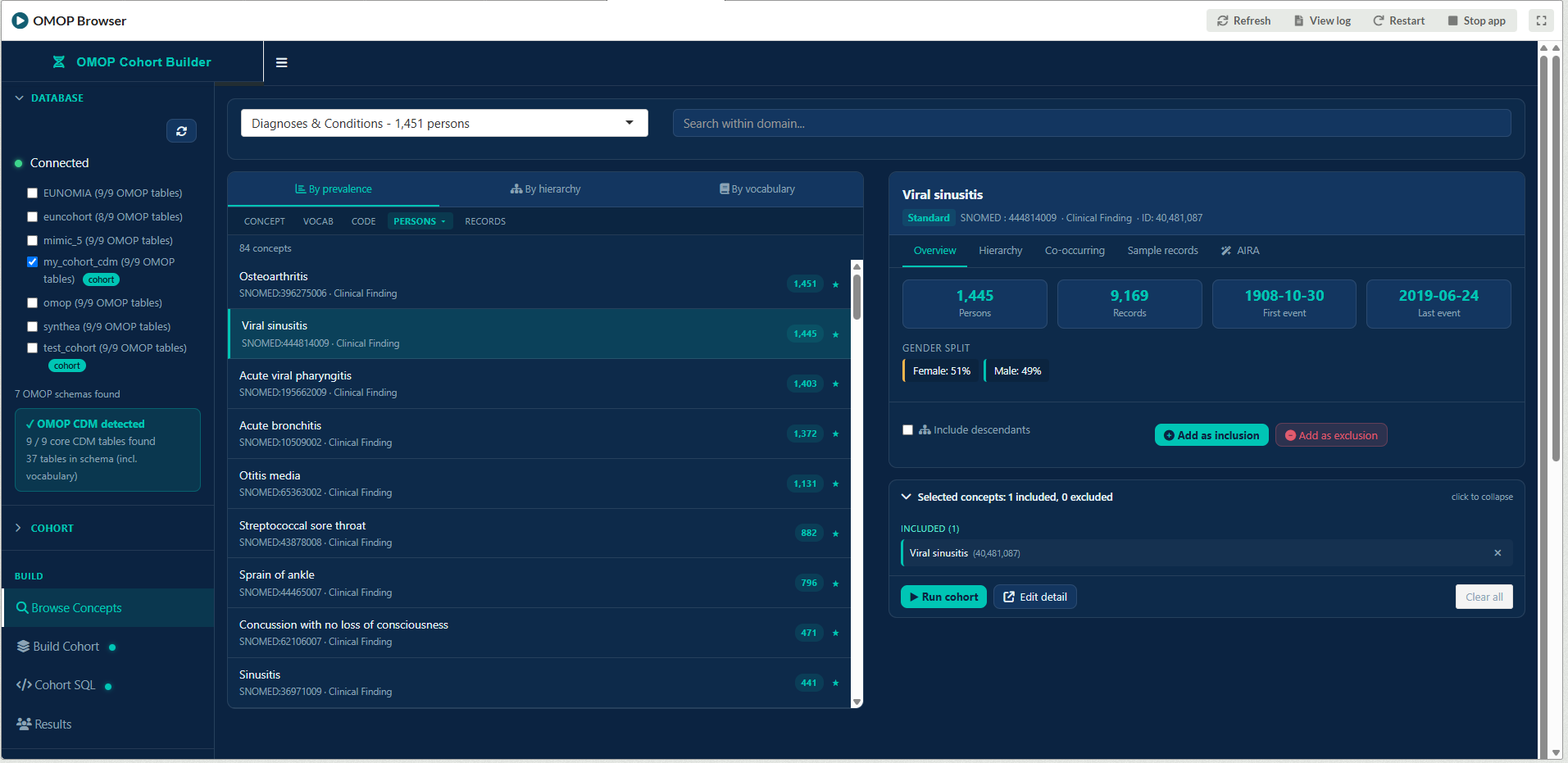
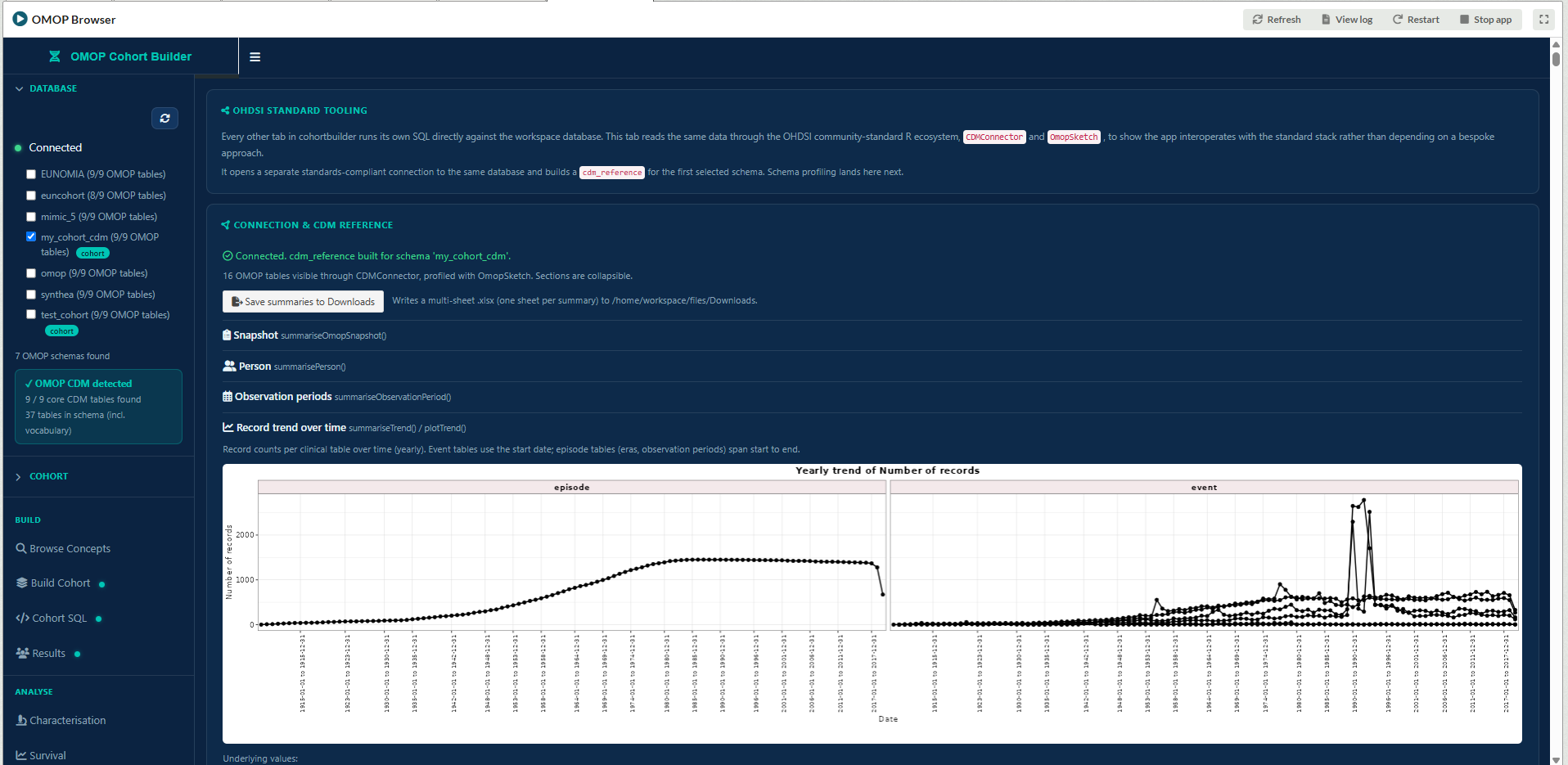
OMOP Cohort Builder builds and analyses patient cohorts on an OMOP schema. Cohorts are defined from inclusion and exclusion criteria, then validated and analysed, with survival and incidence calculations run in the database. Definitions are saved as JSON for reuse on other schemas. Uses the OHDSI OMOPSketch tooling to provide further standard information and cross-checks. You can read more about our OMOP tooling here: https://www.aridhia.com/blog/supporting-omop-in-a-trusted-research-environment/
Cohort Profiler produces a statistical profile of any CSV file, covering missing values, outliers, correlations and distributions and more. Combine FAIR provided metadata to enrich presentation. Save images or R code for use in the RDE. Filter the data visually to create new datasets and with AIRA integration, generate natural language queries.
CSV to Excel Converter combines a folder of CSV files into a single Excel workbook, with one sheet per file. Sheet names are kept within Excel's limits automatically.
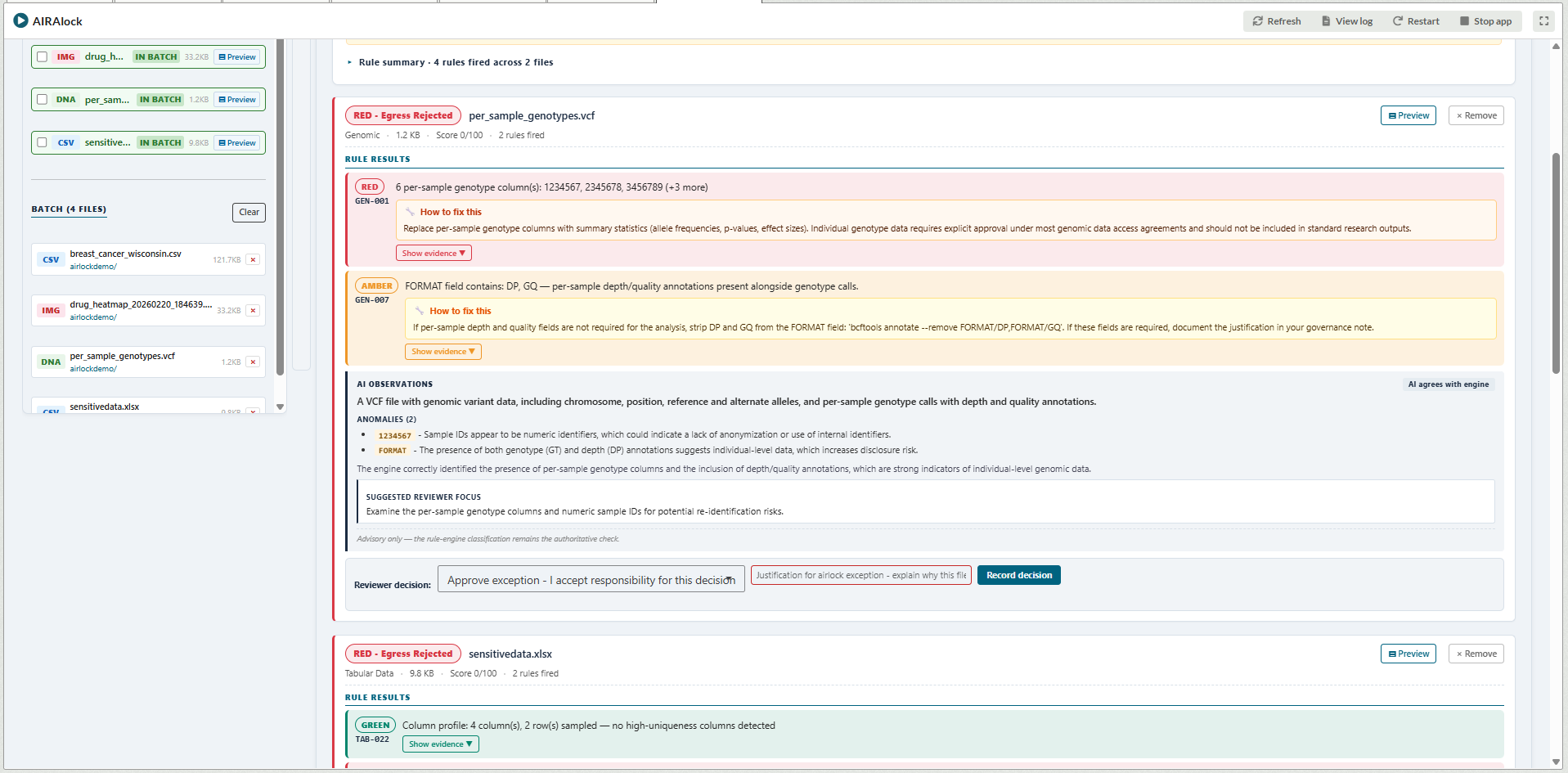
AIRAlock reviews output files for disclosure risk before they leave a workspace. A rule engine checks each file against a large set of statistical disclosure control rules and records what it finds. Where AIRA is available in the workspace, it adds a plain-language summary of the findings, but the decision to release stays with the reviewer. Every decision is logged and saved to a governance report. You can read more about AIRAlock here: https://www.aridhia.com/blog/ai/enhancing-airalock-with-acro-automated-checking-of-research-outputs-support-and-why-it-matters-where-the-ai-runs/
Visual Studio Code provides a full-featured development environment within the workspace. Researchers can edit code, work with Git repositories, use an integrated terminal, debug applications and install approved extensions without moving data outside the secure environment. It supports a wide range of programming languages and workflows, making it suitable for software development, data engineering and scientific computing directly alongside workspace data.
Bioinformatics Terminal provides a browser-based Linux command-line environment for computational biology and biomedical research within the workspace. It includes a curated collection of commonly used bioinformatics, statistical and data science tools, together with pre-configured agentic AI assistants connected to AIRA. Researchers can perform sequence analysis, variant interpretation, statistical analysis and general scripting while benefiting from domain-specific bioinformatics skills that guide the AI assistant for common research workflows. All analysis takes place entirely within the governed DRE environment.
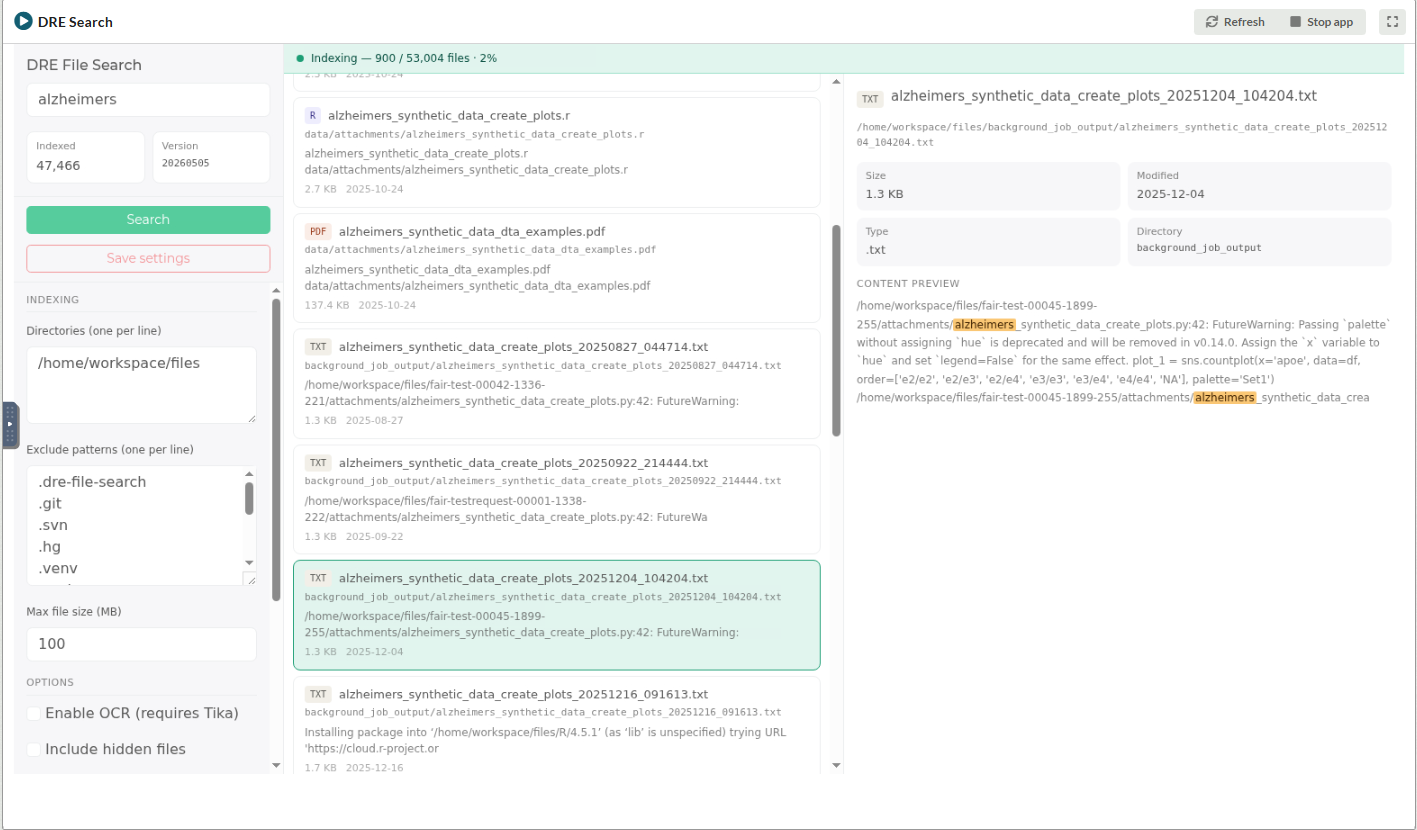
DRE Search provides fast full-text search across files stored in a workspace. It indexes the contents and metadata of supported file types, allowing researchers to quickly locate documents and specific text across large collections of research material. All indexing and searching is performed locally within the workspace, ensuring content never leaves the governed environment. It supports a wide range of common document formats through automated content extraction.
What this enables
For a research team, a community app removes the need to build common tooling from scratch. The work of loading data, querying it, checking a data model or preparing outputs has been done already and can be reused.
For an administrator, hosting an app on the ACR means one version of a tool can be deployed consistently across a hub and updated in one place. That matters most for tools with a governance role, such as output checking or schema validation, where a single reviewed version is better than many local copies.
The apps are open source, so you can read exactly what they do before deploying them and adapt them to suit your requirements. They run inside the workspace, so the platform's security and information governance controls continue to apply. The environment holds ISO 27001, ISO 27701, HITRUST (including NIST 800-171 and 800-53) and Cyber Essentials Plus certifications, and a community app operates entirely within that shared framework.
Get involved
The apps are in the Aridhia Open Source organisation on GitHub, each with a README describing what it does and how to deploy it. To host one on your ACR and make it available to workspaces, our Customer Success and Aridhia Service Desk teams can help.
We would like community apps to be a shared effort. If you have built something that works well in a workspace and would be useful to others, or you want to suggest or improve an app, raise an issue on the relevant repository or contact us at opensource@aridhia.com.